

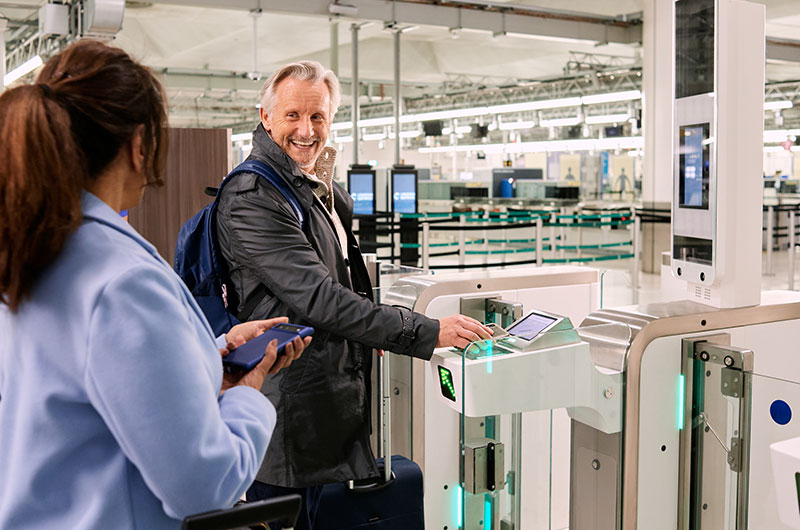
Anyone who has stepped into a Transportation Security Administration checkpoint during a morning rush knows the familiar chorus of shouted instructions. One officer tells travelers to leave everything in their bags, another demands that laptops and tablets go into separate plastic bins, and a third reminds passengers that cell phones can stay in pockets or carry-ons. The mixed messaging creates a bottleneck of hesitant travelers clutching charging cables and unzipped backpacks, desperately trying not to hold up the line.
The confusion stems from a simple reality: airport security technology across the United States is currently split between legacy machinery and next-generation scanning equipment. Depending on the terminal you enter, the lane you choose, and whether you carry expedited screening credentials, the rules change dramatically.
Understanding which electronics must emerge from your luggage and which can stay buried saves precious minutes, protects expensive hardware from drops, and keeps you moving smoothly through the checkpoint.
The Standard Rule: Anything Larger Than a Cell Phone
If you are flying out of an airport terminal using traditional two-dimensional X-ray scanners and you do not have expedited screening, the governing benchmark is straightforward. You must remove any personal electronic device that is larger than a standard smartphone.
Standard X-ray scanners generate flat, overhead shadow projections of your carry-on luggage. The internal hardware of consumer electronics—high-density lithium-ion battery cells, dense copper wiring, circuit motherboards, and metal shielding—appears on the officer’s monitor as dark, opaque masses. When a laptop or large device sits inside a fully packed duffel bag, it creates an impenetrable shadow over whatever rests beneath it. By pulling larger electronics out into an open bin, officers get an unobstructed look at both the device and the contents of your luggage.
Everyday Gadgets That Must Go in a Bin
In standard screening lanes, expect to unpack the following items:
-
Laptops and Netbooks: Every full-size notebook, whether a slim MacBook Air or a thick gaming machine, must come out. It should lie flat in a bin with nothing resting on top or tucked underneath it.
-
Tablets and Digital Slates: iPads, Android tablets, and drawing pads fall squarely under the larger-than-a-phone threshold. They require separate bin placement.
-
E-Readers: Kindles, Kobos, and Nooks often trip up casual travelers. Even though an e-ink screen feels like a lightweight book, the battery and internal processor are dense enough to warrant an independent scan.
-
Handheld Gaming Consoles: Devices like the Nintendo Switch, Steam Deck, and ASUS ROG Ally pack heavy processing hardware and large battery cells into portable shells. Pull them out of your bag every time.
-
Cameras and Detachable Lenses: While compact point-and-shoot cameras can occasionally stay packed, professional mirrorless bodies, DSLRs, and large telephoto lenses should be unzipped and placed in a bin to prevent an automatic bag search.
-
Portable Video Projectors and Full-Size Media Players: Any substantial electronic housing with a motorized lens, integrated lamp, or heavy power supply requires isolated screening.
What Can Safely Stay Inside Your Carry-On
Travelers frequently overcompensate by stripping their bags down to bare fabric, emptying small electronics into bins where they risk being crushed, forgotten, or stolen. Smaller consumer tech does not create the visual obstruction that alarms checkpoint screeners.
Pocket Electronics and Personal Care Items
Your smartphone itself should stay tucked inside a zipped pocket of your carry-on or personal item before you step into the full-body scanner. Placing phones loose in an open bin is one of the leading causes of cracked screens and checkpoint theft.
Smartwatches, fitness bands, wireless earbuds, charging cables, and USB wall plugs can all remain securely packed inside your bag. The same applies to electric toothbrushes, battery-operated shavers, curling irons, and hair straighteners. While hair styling tools contain ceramic heating plates and metal wiring, their internal profile is sufficiently open on an X-ray screen that officers can easily inspect them while they sit inside your luggage.
The Nuance of Portable Power Banks
External battery packs represent an interesting category. Under federal aviation regulations, lithium-ion power banks must always travel in your carry-on luggage and are strictly forbidden in checked baggage due to cargo fire risks.
However, when passing through standard checkpoint security, compact lipstick-style or palm-sized power banks can generally remain inside your backpack. The exception arises with high-capacity travel bricks, such as twenty-thousand milliamp-hour power banks designed to recharge laptops. These units are essentially solid blocks of lithium and wiring. Leaving a heavy power bank buried at the bottom of a densely packed backpack almost guarantees that a screener will pull the bag aside for a physical inspection. Slipping large power banks into an exterior pocket where you can quickly drop them into a bin saves time.
The CT Scanner Revolution: When Everything Stays Packed
The reason travelers experience conflicting instructions across different airports is the nationwide rollout of Computed Tomography, or 3D CT scanners.
Unlike conventional X-ray machines that produce a single flat image, CT scanners use a rotating gantry that captures hundreds of simultaneous views. Advanced algorithms assemble these slices into a three-dimensional, rotatable volumetric rendering of your bag. Security officers can digitally rotate your luggage on their screens, peel back layers, isolate specific items, and analyze the exact density of objects.
In security lanes equipped with CT scanners, the rule flips completely: you leave all electronics inside your carry-on. Laptops, tablets, e-readers, and cables remain untouched inside your backpack or rolling suitcase.
The challenge for passengers is identifying which machine sits at the front of their line:
-
Legacy 2D Machines: Typically feature a rectangular, square-edged profile with flat roller beds and manual bin collection. In these lanes, you must take large electronics out.
-
3D CT Machines: Large, bulky, rounded units with an automated bin-return system, computerized staging gates, and motorized conveyor belts. In these lanes, keep your gear packed.
Because airports often operate older 2D lanes and newer CT lanes side-by-side in the same terminal, never assume the rules from your last flight apply to your current gate. Look ahead at the physical machine and pay close attention to the verbal instructions of the staging officer directing your line.
How TSA PreCheck Changes the Equation
Enrolling in TSA PreCheck fundamentally alters how you handle electronics. In a designated PreCheck lane, the privilege of leaving laptops and large personal devices inside your carry-on is standard policy, regardless of whether the checkpoint operates older 2D equipment or modern CT hardware.
However, PreCheck does not grant immunity from common packing mistakes. The most frequent issue that triggers a manual bag check in a PreCheck lane is device stacking.
If you travel with two laptops—such as a personal computer and an employer-issued machine—or if you slide an iPad directly on top of a laptop sleeve, their combined density creates a solid black block on an older X-ray monitor. The screener cannot see between the two metal chassis, forcing them to open your bag and run each device through a second time.
If you carry multiple large electronics in a PreCheck lane with older equipment, either pack them on opposite sides of your bag or proactively slide one out into an open bin.
Specialized Gear: Medical Devices, Drones, and Audio Equipment
Travelers moving with specialized technical equipment must navigate specific regulatory exceptions designed for safety and accessibility.
Medical Electronics and CPAP Equipment
Continuous positive airway pressure machines, portable oxygen concentrators, and other critical medical devices are subject to distinct handling protocols. Under federal rules, medical equipment is not counted toward your airline carry-on allowance, but it must be screened thoroughly.
In standard screening lanes, a CPAP machine must be removed from its travel case and placed in an open bin. The face mask and flexible air tubing can remain in the case, but the mechanical pump and motor require separate inspection. To keep medical hardware hygienic during this process, you are permitted to place the main motor unit inside a clear plastic bag before laying it in the airport bin.
Drones and Radio-Controlled Equipment
Recreational and commercial camera drones can generally remain packed inside dedicated camera bags, provided the frame does not obscure other dense gear. However, the lithium-polymer battery packs that power drones require vigilant care.
Spare drone batteries must travel in cabin luggage with their terminal ports protected from short-circuiting by electrical tape or individual battery sleeves. When screening through standard lanes, pull your spare flight batteries out and stage them alongside your laptop to streamline the visual check.
Packing Strategies for a Seamless Screening
A fast trip through airport security begins before you leave your home. Organizing your carry-on luggage intentionally eliminates the panicked search for hardware while standing in line.
-
Designate a Tech Bay: Use a backpack or carry-on suitcase featuring an exterior, zippered tech compartment. Having your laptop, tablet, and main charging hub located in a separate top or side pocket lets you deploy and repack them in under ten seconds.
-
Consolidate Your Cables: Loose, tangled cords looping around multiple charging bricks and power adapters resemble confusing wire nests on an X-ray screen. Bundle all cords into a structured, flat tech organizer pouch.
-
Leave Room for Staging: Never pack a carry-on so tightly that sliding a laptop back into its sleeve requires full-body force. If you must unpack your device, you need to be able to slide it back into place immediately at the end of the belt so you can clear the collection area without creating a pileup.
Airport security guidelines are constantly evolving as new imaging hardware replaces aging infrastructure. By packing purposefully, recognizing the screening technology in front of you, and knowing exactly which devices demand an open bin, you can navigate any domestic checkpoint with total confidence.
